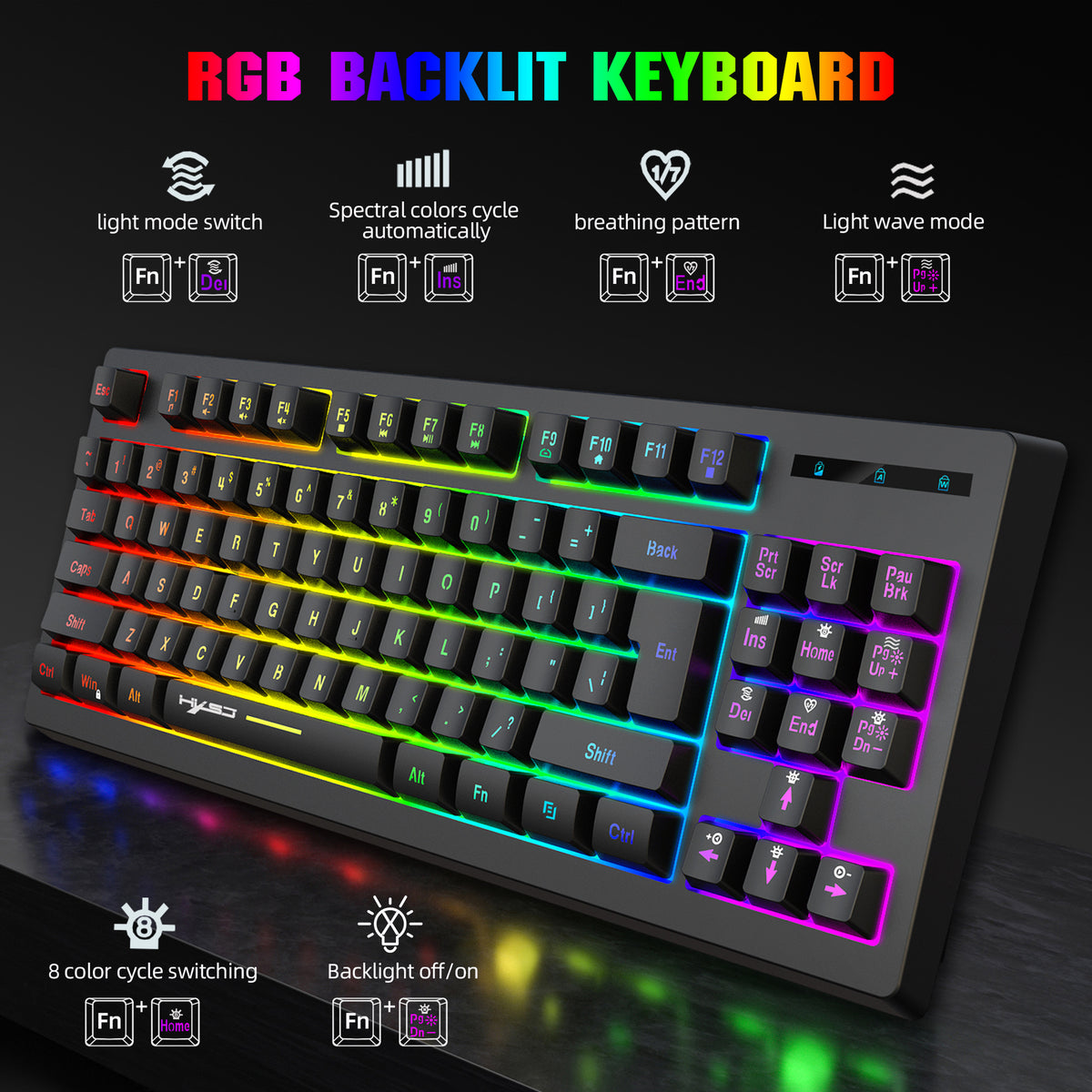
Keep your desk setup tidy with the L100 wireless membrane keyboard. Its 87-key layout combines 2.4G wireless transmission, RGB backlighting, multimedia shortcuts, and a rechargeable battery for office work, gaming, and everyday computer use.
Product Details
Model: L100
Keyboard type: Wireless membrane keyboard
Key count: 87 keys
Connection: 2.4G wireless transmission with USB interface
Backlighting: RGB with 6 lighting effects
Keycap material: ABS two-color injection
Key life: More than 50 million presses
Anti-ghosting: 6-key conflict-free input
Report rate: Up to 1000 reports per second
Key travel: 3.6 mm total stroke
Maximum bounce time: 5 ms
Battery: Built-in 1800 mAh rechargeable battery, as listed by the source
Working time: Up to 36 hours without hibernation, as listed
Standby: 10–15 days under normal office use, with sleep mode
Charging: About 2 hours with a 5V/1A charging device
Charging cable: 155 cm
Operating voltage: 3.0V
Maximum working current: 50 mA
Size: 37.2 × 15.1 × 3.7 cm
Compatibility: Windows XP, Windows 7, Windows 8, Windows 10, Android, Mac OS, and similar systems
Available variants: White and Black
Listed product weight: 790 g
Multimedia Shortcuts
Use the FN key with the function row for media selection, volume control, mute, CD stop, previous track, play/pause, next track, email, home, full screen mode, and calculator access.
Backlight Controls
Cycle through RGB flow, spectrum, monochrome, wave, and breathing effects
Turn the backlight on or off
Adjust brightness
Adjust lighting playback speed
Lock or unlock the Windows and application keys
Power-Saving Features
After approximately 6–8 minutes without keyboard input, the backlight turns off and the keyboard enters sleep mode. Press any key to wake it. A charging indicator shows red while charging, turns off when fully charged, and flashes when the battery is low.
⚠ Important Safety & Care Instructions
Charge with a compatible 5V/1A charging device and use the listed charging cable.
Keep the keyboard, charging cable, and USB connection away from water, spills, and excessive moisture.
Disconnect the charging cable before cleaning. Wipe with a soft, dry cloth and keep moisture away from openings.
Do not sharply bend, pull, crush, or modify the charging cable.
Do not open, puncture, crush, or expose the built-in battery to heat.
Stop using the keyboard if it becomes unusually hot, swells, leaks, or the cable or housing is damaged.
Store in a cool, dry place and charge under supervision.
(We Advise our customers to read our policies to understand how our store functions)